An app built around three-putt avoidance.
Watch first — phone optional logging
Reaching for your phone is why you stop logging. So Lagr logs from the wrist, and your phone stays in your pocket. And it's built for the long ones: find the distance where two putts and three are a coin flip, then work your line and speed errors down.
Logging is free. Premium adds tailored feedback and self-guided training.


Every putt is sorted by distance
Log the putt. Keep your rhythm.
- On the watch. Dial the distance with the Digital Crown, tap Hole or Miss, and keep practicing. Start and end sessions from the watch. How logging on Apple Watch works.
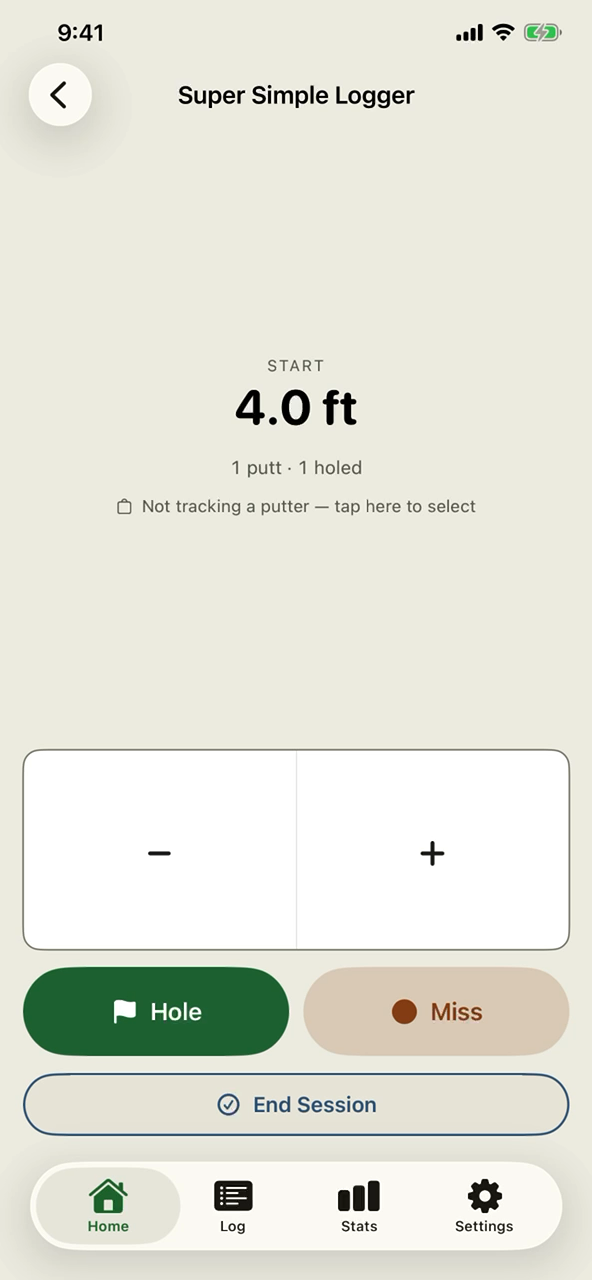
- On the phone. The Super Simple Logger is just distance and result — set the start, tap Hole or Miss, and give a miss its leave.
- Long putts are recognized automatically. Past 25 feet Lagr scores them as lag putts. No mode to switch on.
- Two ways to follow the ball Premium — Course Green tracks one ball start to finish; Practice Green tracks where each ball finishes.
Four stats you know. One distance that's ours alone.
Every number comes from putts you actually logged — on the green, mid-round, or on the range.
Lagr Strength Index
The distance where getting down in two and three-putting are equally likely. Your two-putt frontier — and it moves out as your lag putting improves.
Make % by distance
Every bucket from tap-ins to lag range, so you know exactly where the wheels come off.
Putts to hole-out Premium
Follow one ball from first strike to the cup and see your real number, not a guess.
Three-putt avoidance Premium
How often you get down in two from long range — and, distance by distance, how often you leave it inside a gimme.
Strokes gained Premium
Session over session, versus a real baseline — so you can see practice actually working.
Illustrative numbers.
The Lagr Strength Index is ours. Only putts from 25 feet and out count, each weighed against what's expected from that distance — so getting a 50-footer close is worth more than a 25-footer. Newer putts count more, so one bad green can't define you. How each putting stat is measured.
Where your misses finish Premium
Tap the green to place where the ball actually stopped, and Lagr reads what a distance alone can't tell you: Speed — whether you leave it short or run it past. Consistency — how tightly your leaves group. Line — a steady drift to one side, which is a read problem rather than a stroke problem. The leave map draws all of it against the odds. More on lag putting.

Practice with a plan.
Guided challenges run start to finish on your wrist or your phone: a briefing before you begin, a card at each station telling you where to stand and how many balls to hit, and a summary at the end.
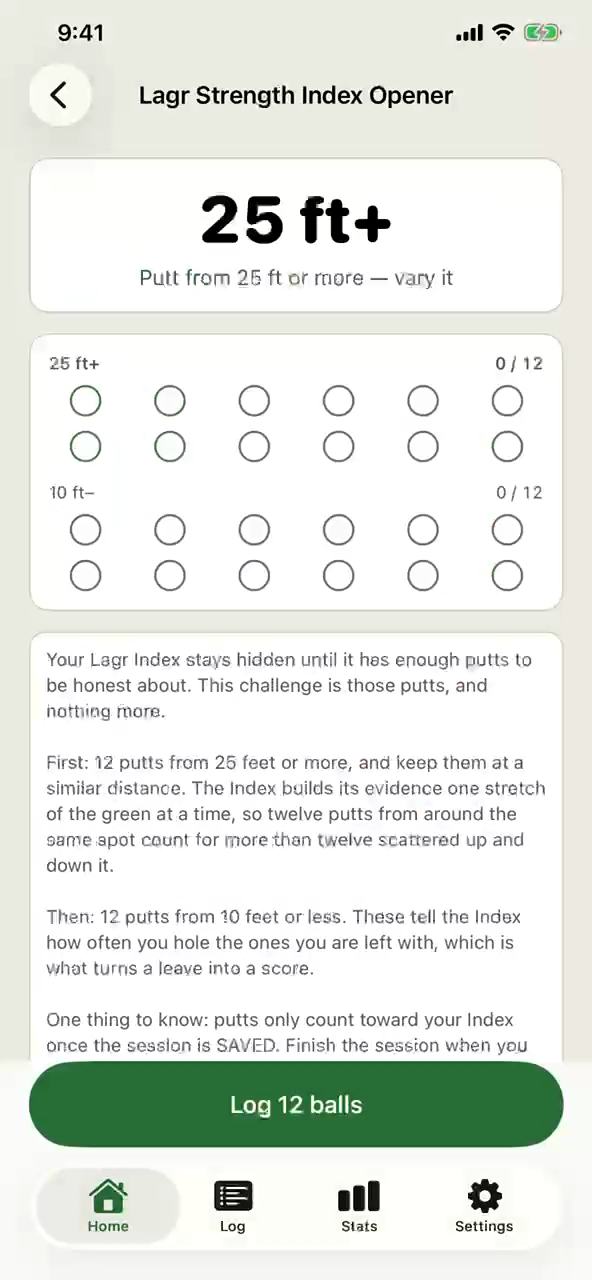
Start with the Lagr Strength Index Opener — the putts your Index needs before it shows a number. It's free, along with two more challenges.
Built for VoiceOver, Voice Control and large text.
Lagr works with VoiceOver on iPhone and Apple Watch, and with Voice Control on iPhone. It holds its layout at the largest text sizes, respects Reduce Motion, and never uses color alone to carry meaning — charts read as a spoken summary rather than mark by mark. Each of those was tested on a device, not assumed from the code.
On the App Store now.
Point your phone at the code
A golf putting tracker for iPhone and Apple Watch. Requires iOS 17 or later.
Download on the App StoreNot ready to install? Join the mailing list and we'll write when something worth reading happens.